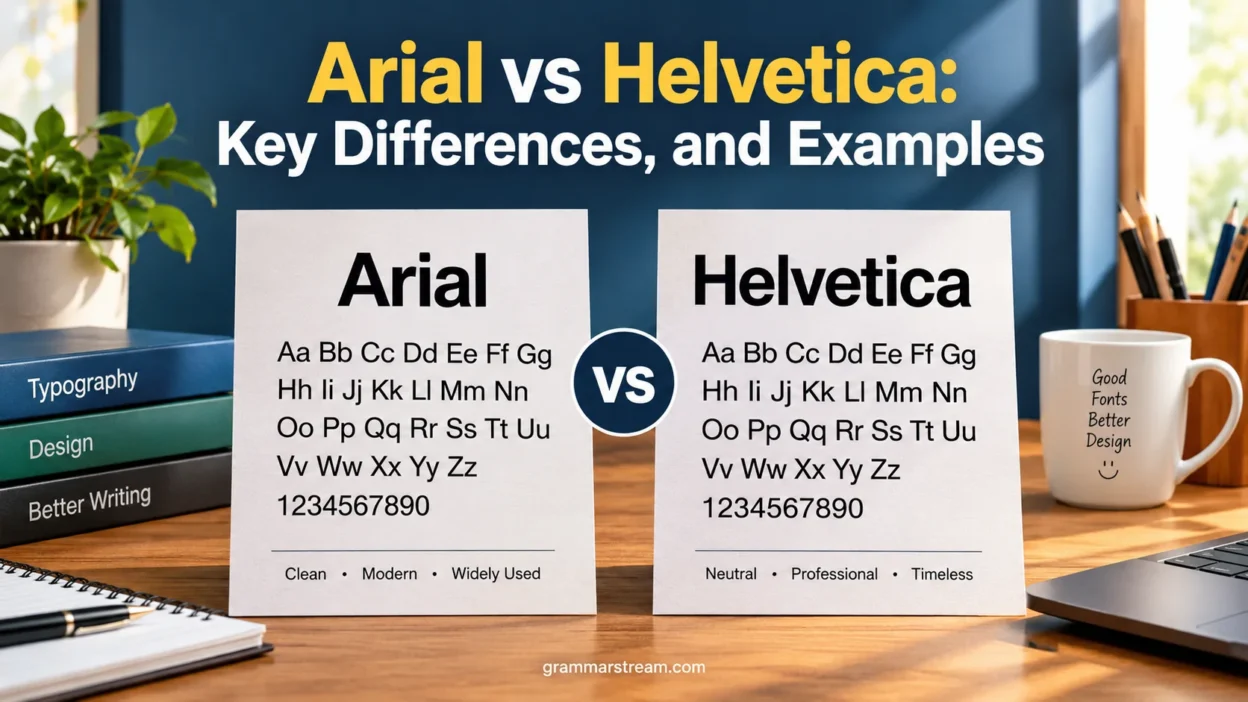
Arial vs Helvetica is a common comparison among graphic designers, students, writers, and web developers. At first glance, these two sans-serif fonts look almost identical. Both have clean lines, simple letterforms, and a modern appearance that works well in documents, websites, advertisements, and professional designs.
Look a little closer, though, and the differences become easier to spot. Certain letters have different shapes, spacing can vary, and each typeface has its own design history. Those small details can change how a paragraph looks or how a brand communicates its personality.
Choosing between Arial and Helvetica isn’t simply a matter of deciding which font looks better. You also need to consider availability, document compatibility, readability, licensing, and the purpose of your project. A font that works perfectly for a business report might not be the best choice for a distinctive logo.
Quick Answer
Arial and Helvetica are closely related-looking sans-serif typefaces, but they aren’t the same font. Helvetica originated in Switzerland in 1957 as Neue Haas Grotesk, designed by Max Miedinger with input from the Haas type foundry. Arial followed in 1982, designed by Robin Nicholas and Patricia Saunders at Monotype.
The main difference is their letterform design and practical availability. Helvetica has a distinctive, structured appearance that has made it popular in graphic design and corporate identity. Arial offers a familiar, widely available option for office documents and general-purpose digital content.
Here’s the simple rule:
- Choose Arial when you need a practical font for everyday documents, presentations, and compatible office workflows.
- Choose Helvetica when you prefer its particular letterforms or need to match a design system or brand that specifies it.
- For websites, consider the actual font files available to your audience, licensing, fallback behavior, and visual consistency.
- For readability, evaluate the font alongside its size, line spacing, contrast, and layout rather than assuming one typeface always performs better.
Neither font wins in every situation. The right choice depends on what you’re creating and where people will see it.
Comparison Overview
The table below summarizes the most important differences between Arial and Helvetica.
| Feature | Arial | Helvetica |
| Original release | 1982 | 1957, originally Neue Haas Grotesk |
| Designers | Robin Nicholas and Patricia Saunders | Max Miedinger, with input from the Haas type foundry |
| Type classification | Sans-serif, neo-grotesque | Sans-serif, neo-grotesque |
| General appearance | Familiar, practical, slightly different letter proportions | Structured, compact, and visually distinctive |
| Letterforms | Several shapes differ from Helvetica | Has its own characteristic glyph shapes and terminals |
| Common applications | Office documents, reports, presentations, websites | Branding, editorial layouts, signage, advertising |
| Office compatibility | Widely available in many Microsoft-oriented environments | Availability depends on the operating system and installed font files |
| Web use | Often used in system-font stacks | Can be used when available or properly licensed for web delivery |
| Licensing | Depends on the font version and use | Depends on the font version and use |
| Best selection criterion | Convenience and compatibility | Design preference and specific project requirements |
Although the two fonts share a similar overall style, their histories and individual letterforms distinguish them. The table provides a starting point, but examining actual text samples offers a clearer comparison.
What Is Arial?
Arial is a sans-serif typeface introduced in 1982 by Monotype designers Robin Nicholas and Patricia Saunders. It became widely recognized through its distribution with Microsoft software and its use in office documents, computer interfaces, and printed materials.
Its design belongs to the neo-grotesque tradition, which emphasizes relatively neutral letterforms and a straightforward appearance. This makes Arial flexible enough for everything from a short heading to several pages of body text.
Arial was also designed with metric compatibility with Helvetica in mind. In relevant implementations, this helps text occupy similar amounts of space when switching between the two fonts. However, similar character metrics don’t make their letterforms identical or guarantee that every document will retain precisely the same layout.
History and Origin of Arial
Arial emerged during the early 1980s, when computer typography and digital printing were becoming increasingly important. Monotype developed the typeface to provide a practical sans-serif option that could work across different typesetting and printing environments.
Microsoft’s later adoption and distribution of Arial helped make it familiar to millions of computer users. People encountered it in word-processing documents, spreadsheets, presentations, and other everyday digital materials.
Its widespread availability became one of its strongest advantages. When a font comes installed in common software environments, people can share documents with fewer font-installation hurdles.
However, Arial isn’t merely a generic computer font. It has its own design features, proportions, and spacing characteristics that distinguish it from other sans-serif typefaces.
Key Design Characteristics of Arial
Arial aims for a clean, straightforward appearance without decorative serifs. Its letterforms work well in ordinary text and remain recognizable across a range of sizes.
Several characteristics define its appearance:
- Open, familiar forms: Many letters have shapes that readers recognize easily in everyday text.
- Distinctive terminals: Some strokes end at different angles or positions than their Helvetica counterparts.
- Practical proportions: Arial’s character widths and spacing support general-purpose typesetting.
- Versatile weights: Common versions offer regular, bold, and other weights, although the available styles depend on the installed font family.
- Neutral visual tone: It doesn’t carry the strong decorative personality associated with display fonts.
These characteristics make Arial a practical option for documents that prioritize clear communication over a highly distinctive visual identity.
Where Arial Is Commonly Used
Arial appears in many everyday design and writing situations because it’s familiar and widely supported.
Common uses include:
- Business reports and internal documents
- School assignments and presentations
- Spreadsheets and administrative forms
- Website typography and fallback font stacks
- Simple advertisements and informational graphics
- Documents shared among users with different computer setups
For example, imagine preparing a 20-page business report for colleagues who use different Windows computers. Arial can be a convenient choice because many of those environments already support it.
That doesn’t mean every recipient will see identical typography. Font versions, application settings, printer drivers, and page dimensions can still affect the final result.
Read More: Preterite vs. Imperfect: Key Differences, Rules, and Examples
Why Arial Became So Widely Available
Arial’s success owes much to software distribution and compatibility. Its inclusion in widely used Microsoft products exposed users to the typeface across countless documents and workplaces.
That familiarity also created a practical advantage: people could often open or edit a document without purchasing or installing another font. For everyday work, reducing that friction matters.
Still, availability isn’t the same as unrestricted use. The rights to embed, redistribute, modify, or serve Arial as a web font depend on the specific font license. A font installed on your computer isn’t automatically free for every commercial purpose.
What Is Helvetica?
Helvetica is a sans-serif typeface introduced in Switzerland in 1957. It originally appeared as Neue Haas Grotesk and was designed by Max Miedinger with input from the Haas type foundry. The name later changed to Helvetica, derived from Helvetia, the Latin name for Switzerland.
The typeface became influential in modern graphic design because of its structured forms and ability to work across many applications. Designers have used it in corporate identities, public signage, editorial layouts, advertising, and product communication.
Helvetica is often associated with Swiss graphic design, which values clarity, visual order, and carefully organized layouts. Yet the font isn’t limited to minimalist design. Its usefulness comes partly from how easily it can support many different visual systems.
History and Origin of Helvetica
Helvetica arrived during a period when designers increasingly favored clean, functional typography. Rather than relying on decorative details, the typeface offered a relatively restrained appearance that worked well in printed communication.
Its original name, Neue Haas Grotesk, reflected its development within the Haas type foundry. The later name Helvetica helped the typeface reach a broader international audience.
Over time, Helvetica became a familiar presence in branding, transportation graphics, editorial design, and advertising. Its popularity helped establish it as one of the best-known modern sans-serif typefaces.
However, Helvetica isn’t one single, unchanging digital file. Different releases and adaptations include variations in available weights, glyph shapes, spacing, and technical features.
Key Design Characteristics of Helvetica
Helvetica has a controlled, structured appearance. Its letters tend to create a consistent visual rhythm, which helps the typeface work in headings, short labels, and longer blocks of text.
Important characteristics include:
- Structured letterforms: Many characters have carefully balanced shapes and proportions.
- Distinctive terminals: The ends of strokes help separate Helvetica from visually similar fonts.
- Consistent visual texture: Repeated letters create a recognizable pattern across a line of text.
- A broad design history: Its use in modernist and corporate design gives it strong associations with professional graphic communication.
- Multiple weights and versions: The exact range depends on the particular Helvetica family or release.
Helvetica’s reputation for neutrality doesn’t mean it lacks personality. Its proportions, spacing, and familiar shapes can make a design feel orderly and deliberate.
Where Helvetica Is Commonly Used
Helvetica has a long history in professional typography. Designers choose it for projects where its specific visual character supports the intended identity.
Typical applications include:
- Corporate branding and identity systems
- Posters and advertising campaigns
- Editorial design and magazine layouts
- Public information and signage
- Product packaging
- User interfaces and digital graphics
For example, a designer working on a carefully controlled brand system might select Helvetica because the organization already specifies it. In that situation, consistency matters more than whether Arial could produce a similar overall look.
Helvetica’s reputation shouldn’t be mistaken for a guarantee of better results. A poorly spaced Helvetica headline can look worse than a carefully typeset Arial headline. Good typography depends on how the font is used.
Helvetica, Helvetica Neue, and Helvetica Now
The name Helvetica can refer to different related typeface releases, so it’s important to identify the exact version when comparing fonts.
Helvetica Neue is a later redesign that refined aspects of the original family and its range of weights and styles. It became popular in professional design workflows and digital interfaces.
Helvetica Now is a more recent family that revisits the typeface for contemporary design needs. Its development includes refinements to letterforms and optical sizes, helping designers choose versions suited to different scales.
These families shouldn’t automatically be treated as interchangeable. Their glyphs, spacing, weights, and character support may differ.
If a designer says a project uses Helvetica, check the actual font file before making detailed comparisons with Arial. Otherwise, you may be comparing different versions rather than the typefaces alone.
Main Differences Between Arial and Helvetica
The most useful way to understand Arial vs Helvetica is to compare their actual letterforms. Both belong to the sans-serif family and share a broadly similar visual style, but they differ in the details that shape a word’s appearance.
Letter Shapes and Glyph Differences
A glyph is the visual form used to represent a character. Even when two fonts display the same letter, the glyph’s shape, proportions, and stroke endings can differ.
Some useful characters to examine include lowercase a, uppercase G, uppercase R, uppercase Q, and lowercase t. These letters reveal details that are easy to miss when you look at an entire paragraph.
- Lowercase a: Compare the shape of the bowl, the terminal, and the connection between the main strokes.
- Uppercase G: Look at the horizontal bar and the way the right side of the letter finishes.
- Uppercase R: Examine the bowl and the angle of the diagonal leg.
- Uppercase Q: Compare the shape and placement of the tail.
- Lowercase t: Check the crossbar, stem, and terminal.
These details make useful comparison points because readers can see the differences directly rather than relying on broad claims about which font looks more modern.
The exact appearance also depends on the version. Helvetica Neue, Helvetica Now, and different Arial releases may not produce identical specimens. For a fair comparison, use the specific font files you intend to use in your project.
Stroke Endings and Overall Appearance
Stroke endings are another useful way to distinguish Arial from Helvetica. A terminal is the end of a stroke that doesn’t connect to another stroke.
In certain characters, Arial uses angled terminals where a corresponding Helvetica glyph may have a more horizontal or vertical finish. The difference is subtle, but it can affect how a letter feels within a word.
Look at the lowercase t, for instance. The shape and placement of its crossbar, combined with the stem’s proportions, can help distinguish one design from another. The uppercase G and R also offer useful clues.
However, avoid treating one letter as a foolproof identification test. Different font versions can change specific details, and small text sizes make distinctions harder to see.
For a reliable comparison, examine several letters together at the same size. A full word or sentence provides more evidence than an isolated character.
FAQs:
What Is the Main Difference Between Arial and Helvetica?
The main difference lies in their letterform designs, spacing characteristics, and histories. Helvetica originated in 1957 as Neue Haas Grotesk, while Arial was introduced in 1982. Their similar overall appearance makes them easy to confuse, but individual characters reveal noticeable differences.
Is Arial a Copy of Helvetica?
Arial was developed as a compatible alternative to Helvetica in relevant typographic applications, but it isn’t an exact copy. The fonts have distinct letterforms and design histories, even though their similarities allow them to serve comparable purposes in many documents.
Which Font Is Better, Arial or Helvetica?
Neither is universally better. Arial is convenient for many office documents and general-purpose applications. Helvetica is a strong choice when its particular letterforms, design history, or brand specifications suit the project. Your intended use should determine the choice.
Is Helvetica Available on Windows?
Helvetica availability depends on the Windows installation and the font files installed by the user or applications. You shouldn’t assume every Windows computer includes Helvetica by default. If a document requires the typeface, confirm its availability or use an appropriate licensed font file.
Conclusion:
Arial vs Helvetica isn’t a contest with one universal winner. Both are established sans-serif typefaces that can work well across documents, websites, and professional designs. Arial stands out as a convenient choice for everyday writing, office documents, and many digital applications. Helvetica offers its own recognizable letterforms and a long history in branding, editorial design, and modern graphic communication.