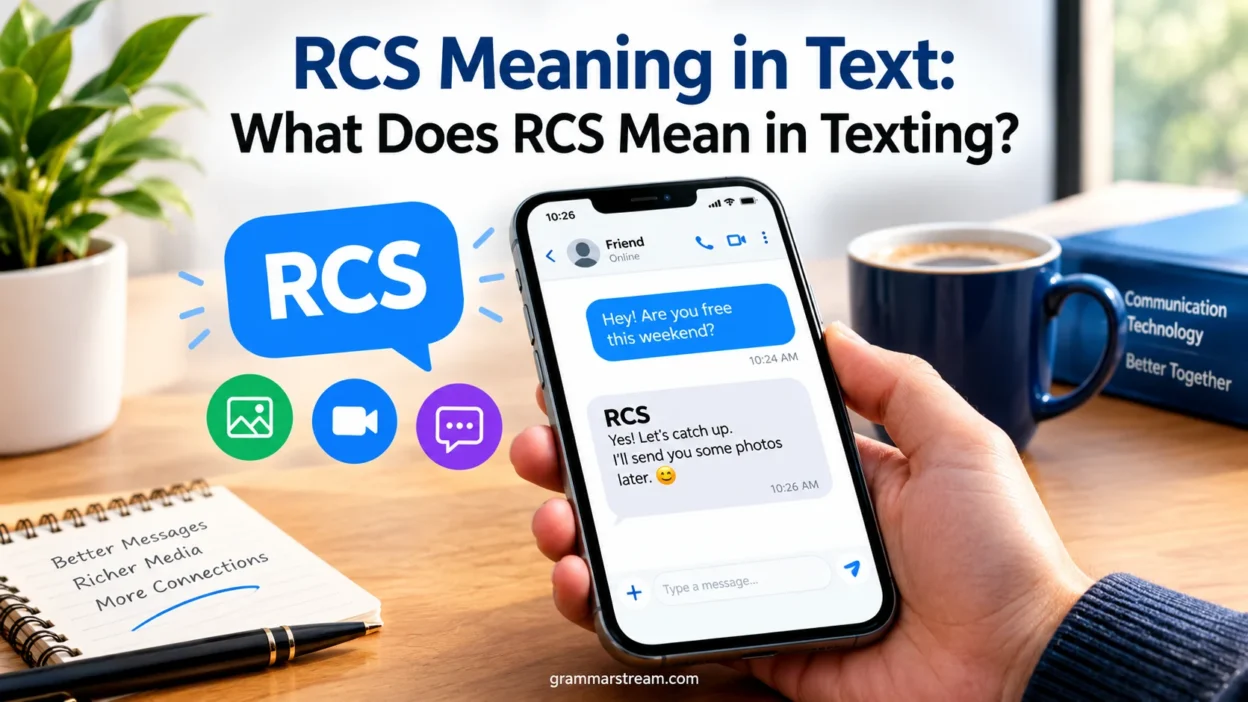
If you’ve seen “RCS message” or “RCS chat” appear in your messaging app, you may wonder what those three letters actually mean. Unlike common texting shortcuts such as LOL or BRB, RCS isn’t slang. It refers to a modern messaging technology designed to make texting more capable than traditional SMS and MMS.
RCS stands for Rich Communication Services. It supports features such as read receipts, typing indicators, high-resolution photos and videos, group chats, file sharing, and messaging over Wi-Fi or mobile data. The exact features can vary depending on your phone, messaging app, carrier, and the people you’re messaging.
RCS has also become more important because it now connects Android and iPhone users through supported implementations. Apple introduced RCS support with iOS 18, giving cross-platform conversations more features than the old SMS/MMS experience.
Quick Answer
RCS means “Rich Communication Services.” In texting, it means your message is being sent through the RCS messaging standard rather than ordinary SMS or MMS.
RCS can provide features that traditional texting doesn’t normally offer, including:
- Read receipts
- Typing indicators
- High-resolution photos and videos
- File sharing
- Group-chat features
- Message reactions in supported implementations
- Messaging over Wi-Fi or mobile data
- Improved support for communication between Android and iPhone users
RCS isn’t normally a slang expression or secret text abbreviation. It’s a technical term that describes how your messaging service handles the conversation. Google describes RCS as a modern industry messaging standard that provides a more dynamic experience than SMS and MMS.
One important detail matters here: RCS isn’t identical on every phone or network. Your carrier, device, operating system, messaging app, and recipient’s setup can affect which features are available.
Comparison Overview
RCS sits alongside SMS and MMS, but the three technologies work differently. Understanding that difference makes the meaning of an RCS label much easier to understand.
| Feature | RCS | SMS | MMS |
| Full name | Rich Communication Services | Short Message Service | Multimedia Messaging Service |
| Internet connection | Usually required | No | No traditional internet requirement |
| Read receipts | Supported | Not built into SMS | Not built into MMS |
| Typing indicators | Supported | No | No |
| High-resolution media | Supported | No | Limited |
| Group messaging | Supported | Limited | Supported |
| File sharing | Supported | No | Limited |
| Message reactions | Supported in compatible implementations | No | No |
| Wi-Fi messaging | Supported | No | No |
| Cross-platform support | Supported between compatible services | Yes | Yes |
The biggest difference is that SMS was designed primarily for basic text, while RCS was designed as a richer messaging system. The GSMA’s RCS Universal Profile includes features such as chat, group chat, file transfer, audio messaging, video sharing, location sharing, and other advanced communication capabilities.
That doesn’t mean RCS replaces SMS in every situation. A phone may still use SMS or MMS when RCS isn’t available.
Main Differences Between RCS Meaning in Text
The phrase RCS meaning in text can sound like you’re looking for another texting abbreviation. However, RCS is different from expressions such as “LOL,” “IDK,” or “TBH.”
RCS Is a Messaging Technology
RCS describes the messaging protocol used to send a richer type of text message.
For example, suppose you send a photo to a friend. With traditional MMS, the image may be compressed significantly. With RCS, compatible services can support much higher-quality media sharing.
Likewise, an RCS conversation can show when the other person is typing or whether they have read your message.
RCS Is Not Normally Texting Slang
When someone writes “RCS” in a messaging context, they’re usually referring to Rich Communication Services, not an informal phrase.
That distinction matters because searchers sometimes expect every three-letter expression to have a slang definition. RCS doesn’t work that way.
RCS Can Fall Back to SMS or MMS
RCS depends on compatible services and connectivity. If the necessary conditions aren’t available, a messaging app may send the message using SMS or MMS instead.
Google’s documentation explains that RCS chats are used when participants have RCS available. Otherwise, messages can be sent through SMS or MMS.
What Does RCS Mean in Texting?
When someone asks “What does RCS mean in texting?”, the simplest answer is Rich Communication Services.
In practical terms, an RCS message behaves more like modern app-based messaging than old-fashioned carrier texting.
Imagine the difference between mailing a short postcard and using a modern chat application. SMS gives you the basic postcard experience. RCS adds richer communication tools around the message.
For example, an RCS conversation can let you:
- See when someone starts typing.
- Receive read receipts.
- Send larger or higher-quality media.
- Share files.
- Participate in richer group chats.
- Send messages over Wi-Fi.
- Use mobile data when Wi-Fi isn’t available.
Google Messages currently describes RCS as supporting high-resolution photos and videos, typing indicators, read receipts, Wi-Fi and mobile-data messaging, and enhanced group-chat functions.
What Is RCS Messaging?
RCS messaging is messaging that uses the Rich Communication Services standard.
The technology was developed to modernize carrier-based messaging. The GSMA created the RCS Universal Profile to establish a common set of features and technical requirements that operators, device makers, and operating-system providers could support.
That standardization is important because messaging becomes much more useful when different networks and devices can communicate using compatible rules.
RCS supports several features that users now expect from modern messaging platforms.
High-Resolution Media
RCS can support the sharing of high-resolution photos and videos. That’s a major step beyond traditional MMS, which was designed for much simpler multimedia messaging.
Read Receipts
Read receipts can tell you that the recipient has opened a message. Depending on the messaging service, users can usually control whether they send read receipts.
Typing Indicators
Typing indicators show when another participant is composing a response. It’s a small feature, but it makes a conversation feel much more immediate.
Group Messaging
RCS supports richer group conversations than basic SMS. Features can include better group management and additional interaction options.
File Sharing
The RCS Universal Profile includes support for file transfer, extending messaging beyond short text and basic multimedia attachments.
How Does RCS Work?
RCS works through a combination of your messaging app, network connection, RCS service provider, and recipient’s messaging setup.
The basic process looks like this:
- You open a compatible messaging app.
- The service checks whether RCS is available.
- It determines whether the recipient can participate in RCS.
- If RCS is available, the message uses RCS features.
- If RCS isn’t available, the conversation may use SMS or MMS instead.
RCS messages typically travel through internet connectivity rather than the traditional SMS pathway. Google explains that RCS messages can be sent over Wi-Fi or mobile data and may pass through RCS infrastructure operated by Google or another service provider.
This is why your internet connection can matter when you’re sending an RCS message.
What Does an RCS Message Look Like?
The exact appearance depends on your phone and messaging app.
You might see labels such as:
- RCS message
- RCS chat
- Chat message
- RCS chats
You may also notice features that aren’t normally associated with SMS, such as:
- A typing indicator
- Read status
- Delivery status
- High-quality image sharing
- Message reactions
- Richer group-chat controls
Google Messages also uses visual indicators to distinguish RCS conversations from SMS/MMS conversations.
Don’t assume that every RCS conversation will look identical. Different apps can present the same underlying technology in different ways.
Read More: ASL Meaning in Text: What Does ASL Mean in Texting?
Why Does My Phone Say RCS?
If your phone suddenly says RCS, it usually means your messaging service has recognized that the conversation can use Rich Communication Services.
Several things can trigger this:
- You activated RCS.
- Your messaging app enabled RCS during setup.
- Your carrier supports RCS.
- Your recipient has RCS enabled.
- Your phone received a software or messaging-service update.
- You switched to a compatible device or messaging app.
For example, Google Messages may display RCS settings when your device and carrier support the service. Google notes that availability can depend on the device and carrier.
So the appearance of an RCS label doesn’t mean someone sent you a special type of secret message. It simply describes the messaging technology being used.
Why Did My Message Change From RCS to SMS?
Seeing a conversation switch from RCS to SMS can be confusing. Usually, though, it has a straightforward explanation.
Common causes include:
- The recipient turned off RCS.
- Your RCS service temporarily became unavailable.
- One participant lost internet connectivity.
- Your carrier doesn’t currently support the required RCS connection.
- The messaging app couldn’t establish an RCS session.
- You changed devices or messaging applications.
- The recipient’s device or service doesn’t support the required RCS features.
The important point is that RCS and SMS aren’t interchangeable technologies.
If the RCS connection isn’t available, your messaging app may fall back to another messaging method.
That fallback can preserve the basic ability to send a message even when richer RCS features aren’t available.
RCS Chat Features You Should Know
RCS becomes easier to understand when you look at what it actually lets you do.
Read Receipts
A read receipt indicates that a message has been read or received according to the messaging service’s supported status system.
Don’t confuse this with a guarantee that someone carefully read every word. The status simply reflects the messaging system’s read state.
Google Messages allows users to control read-receipt settings. The recipient generally needs compatible RCS functionality and appropriate settings for read status to work.
Typing Indicators
Typing indicators provide a real-time clue that another person is composing a response.
This feature can make conversations feel much closer to app-based chat than conventional SMS.
Message Reactions
Modern RCS specifications include support for message reactions. The GSMA added reactions and message editing capabilities to its RCS specifications as the standard evolved.
However, exact reaction behavior can depend on the messaging platform and implementation.
High-Quality Photos and Videos
RCS supports higher-quality media sharing than traditional MMS.
This matters when you send:
- Travel photos
- Family pictures
- Screenshots
- Product images
- Short videos
- Documents and files
The goal is to make the messaging experience less restrictive than traditional carrier multimedia messaging.
Group Chats
RCS supports richer group conversations, including group-management features in compatible messaging services.
Google Messages, for example, supports functions such as renaming group chats and leaving groups when RCS is enabled.
RCS on Android
Android has been one of the main platforms for RCS adoption.
In Google Messages, RCS may appear under RCS chats or Chat features, depending on the device and software version. Google says RCS availability depends on factors such as the device and carrier.
When enabled, Android users can gain access to features such as:
- Read receipts
- Typing indicators
- High-resolution media
- Wi-Fi messaging
- Mobile-data messaging
- Richer group conversations
- End-to-end encryption in eligible Google Messages conversations
One important detail deserves attention: RCS availability doesn’t mean every feature works everywhere. Carrier policies, messaging applications, and interoperability can affect the experience.
RCS on iPhone
RCS arrived on iPhone with iOS 18 in September 2024.
Apple’s adoption marked an important change because Android and iPhone users could communicate through RCS rather than relying solely on the older SMS/MMS experience. The GSMA confirmed that iOS 18 introduced RCS support alongside existing Android implementations.
That means an iPhone user can communicate with a compatible Android user using RCS-supported features.
However, RCS isn’t the same thing as iMessage.
The messaging technology behind the conversation still matters. iMessage remains Apple’s separate messaging service, while RCS is an industry messaging standard designed for broader interoperability.
RCS vs. iMessage
RCS and iMessage can provide similar modern features, but they’re not the same system.
| Feature | RCS | iMessage |
| Meaning | Rich Communication Services | Apple’s messaging service |
| Primary purpose | Modern cross-network messaging | Apple’s messaging ecosystem |
| Android support | Yes | No |
| iPhone support | Yes on supported configurations | Yes |
| Read receipts | Supported | Supported |
| Typing indicators | Supported | Supported |
| High-quality media | Supported | Supported |
| Group messaging | Supported | Supported |
| Industry standard | Yes | Apple-specific service |
RCS is designed as an interoperable industry standard. iMessage is Apple’s own messaging service.
That’s why the arrival of RCS on iPhone matters. It gives cross-platform conversations a richer messaging option without turning RCS into iMessage.
Is RCS the Same as SMS?
No. RCS isn’t the same as SMS.
SMS stands for Short Message Service. It was created for basic text communication and doesn’t provide the modern feature set associated with RCS.
RCS, by comparison, was built to support a broader messaging experience.
Think of SMS as a basic text-only lane. RCS adds additional lanes for richer media, typing indicators, read receipts, files, and interactive communication.
SMS still has one major practical advantage: it doesn’t depend on the same internet-based RCS connection.
That’s why SMS remains useful as a fallback when RCS isn’t available.
Does RCS Use Wi-Fi or Mobile Data?
Yes. RCS can use Wi-Fi or mobile data.
Google’s RCS documentation specifically states that RCS chats can send messages over mobile data and Wi-Fi.
For example, if you’re connected to Wi-Fi at home, your RCS messages can use that connection. When you leave the house, your phone can use mobile data instead.
This differs from traditional SMS, which operates through your cellular carrier’s SMS infrastructure rather than requiring an internet connection.
That distinction explains why a poor data connection can affect RCS while basic SMS may continue working.
Does RCS Cost Money?
RCS generally isn’t billed like an individual SMS message.
Instead, RCS uses internet connectivity, meaning your mobile data plan can matter when you’re not connected to Wi-Fi.
However, billing isn’t identical everywhere. Carrier policies and service plans can vary. Google also notes that carrier charges may apply for certain RCS services, particularly business messaging.
For everyday use, the practical distinction is simple:
- RCS: Uses Wi-Fi or mobile data.
- SMS: Uses cellular messaging service.
- MMS: Uses carrier multimedia messaging infrastructure.
If you’re using Wi-Fi, RCS doesn’t consume your cellular data allowance for the message itself.
FAQs:
What does RCS mean in text?
RCS means Rich Communication Services. It describes a modern messaging standard that supports richer features than traditional SMS and MMS.
What does RCS stand for?
RCS stands for Rich Communication Services.
Is RCS a slang word?
No. RCS isn’t normally texting slang. It’s the name of a messaging standard.
Is RCS better than SMS?
RCS and SMS serve different technical purposes. RCS provides more features such as read receipts, typing indicators, high-resolution media, and internet-based messaging. SMS remains useful because it can work without an internet connection.
Why does my phone say RCS message?
Your messaging app likely determined that the conversation can use Rich Communication Services. The exact label depends on the device and messaging application.
Conclusion:
When you see RCS in a text conversation, you’re usually looking at a messaging technology rather than a piece of slang. RCS means Rich Communication Services, a modern standard designed to move texting beyond the basic capabilities of SMS and MMS.
The practical difference is easy to spot. RCS can give you read receipts, typing indicators, richer group chats, high-resolution media, file sharing, and internet-based messaging. Depending on the service, it can also provide end-to-end encryption and other security features.